

Building an End-to-End Image Classification Pipeline with KitOps & Jozu
Machine learning practitioners often encounter situations where models perform well in validation but fail in production. These failures typically result from training/serving skew, where training data differs from production data, or from packaging and version control issues that create missing dependencies or incompatibilities.
This article demonstrates how to build an image classification model using the Satellite Image Classification dataset and package it with KitOps ModelKit for consistent deployment. We'll explore how proper packaging addresses common reproducibility challenges in AI/ML projects.
TL;DR
- We build an image classification model using the Satellite Image Classification dataset
- We package the entire project—including training code, dataset, and configuration—into a single unit using KitOps ModelKit
- We push the ModelKit to Jozu Hub (an OCI-compliant registry) for version control and team collaboration
Prerequisites
Before starting, set up your environment:
- Create a new project directory
- Install required Python packages:
pip install numpy matplotlib tensorflow
pip freeze > requirements.txt- Install KitOps following the official documentation
- Create a Jozu Hub account at jozu.ml
Understanding the Tools
KitOps Overview
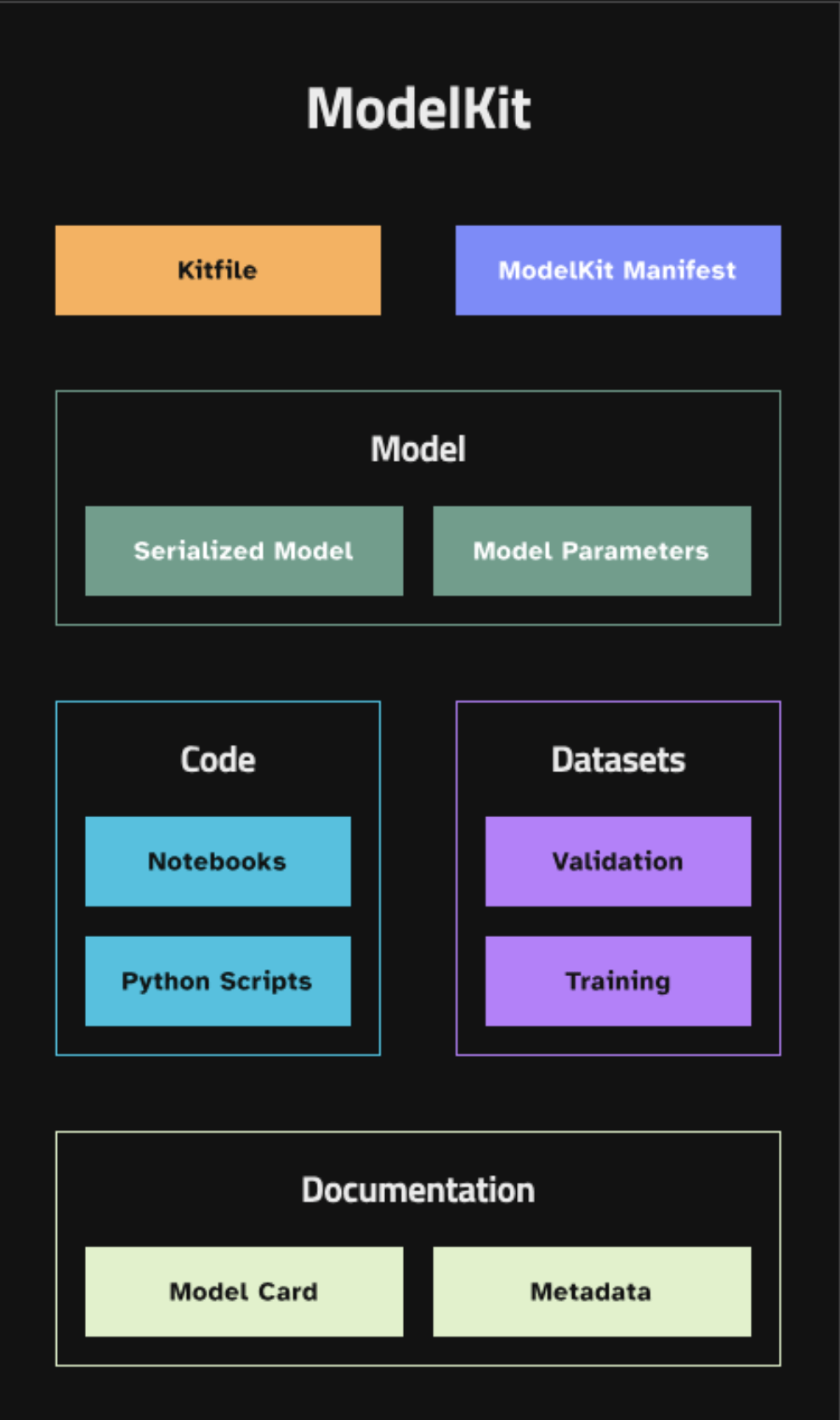
KitOps addresses MLOps challenges including version control, team collaboration, and dataset privacy by standardizing how we package AI/ML projects. The framework consists of three core components:
ModelKit: An artifact container that packages all critical assets across the AI/ML lifecycle—data, source code, configurations, and trained models—into a reusable deployment unit.
Kitfile: A YAML configuration file that serves as the blueprint for a ModelKit, similar to a Dockerfile for containers. It structures projects into defined sections:
- Project metadata (name, version, description, authors)
- Code details and licensing information
- Dataset descriptions including preprocessing steps
- Model specifications with framework details and validation metrics
- Documentation for quick start guides
Kit CLI: A command-line interface for creating, managing, executing, and deploying ModelKits. Key operations include packaging projects, pushing to remote repositories, pulling ModelKits locally, running in various environments, and deploying to containerized platforms.
Jozu Hub
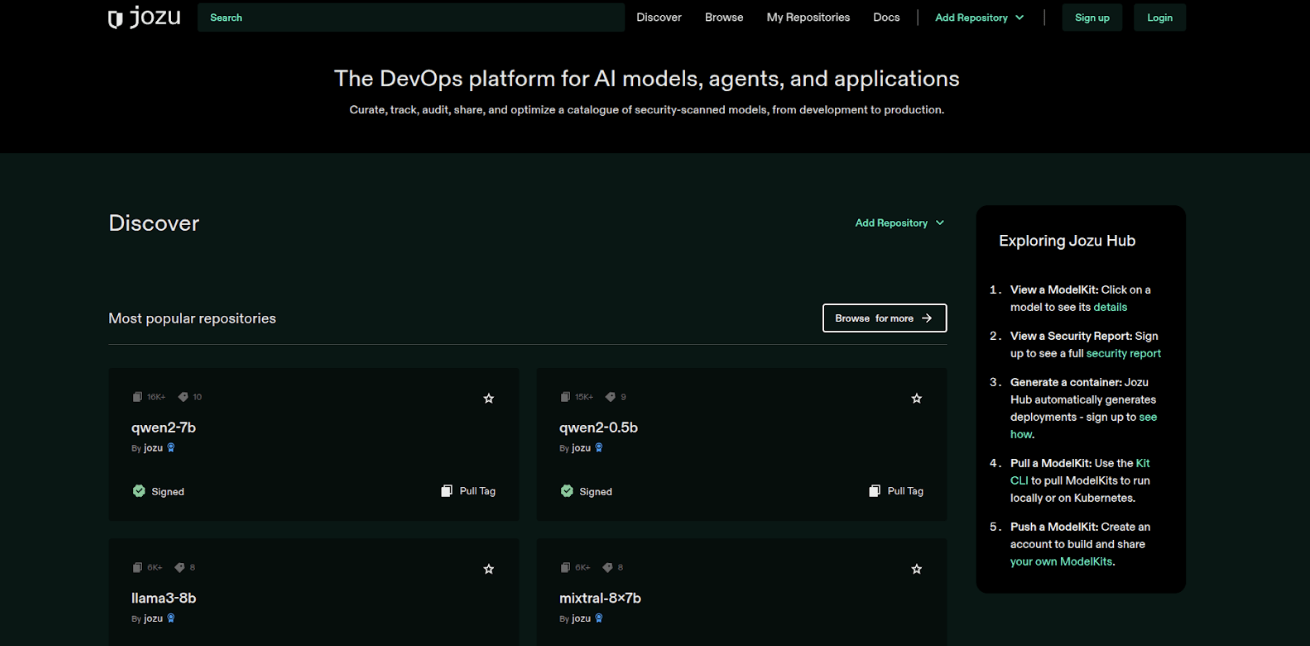
Jozu Hub is a container registry optimized for AI/ML models. Unlike general-purpose repositories, it provides:
- Security-first architecture with automatic vulnerability scanning
- Content transparency for inspecting ModelKits before pulling
- Support for various AI/ML task types
- Automatic generation of deployment commands and Kubernetes configurations
- Ready-to-use inference microservices
Building the Image Classifier
We'll train a simple CNN on the Satellite Image dataset to classify different scene types. The dataset contains 5,631 labeled satellite images in four classes: Cloudy, Desert, Green Area, and Water.
Step 1: Data Preparation
Download and extract the dataset from Kaggle into your project directory.
Step 2: Model Implementation
Create a Python file with the following structure:
import os
import numpy as np
import matplotlib.pyplot as plt
import tensorflow as tf
from tensorflow.keras.preprocessing.image import ImageDataGenerator
from tensorflow.keras.models import Sequential
from tensorflow.keras.layers import Conv2D, MaxPooling2D, Flatten, Dense, Dropout

# Configuration parameters
IMAGE_DIMENSIONS = (128, 128)
MINI_BATCH_SIZE = 32
TRAINING_ITERATIONS = 5
DATA_DIRECTORY = '/path/to/your/data'

# Initialize data processing pipeline
image_processor = ImageDataGenerator(
    rescale=1.0/255.0,
    validation_split=0.2
)

# Load datasets
training_dataset = image_processor.flow_from_directory(
    DATA_DIRECTORY,
    target_size=IMAGE_DIMENSIONS,
    batch_size=MINI_BATCH_SIZE,
    class_mode='categorical',
    subset='training'
)

validation_dataset = image_processor.flow_from_directory(
    DATA_DIRECTORY,
    target_size=IMAGE_DIMENSIONS,
    batch_size=MINI_BATCH_SIZE,
    class_mode='categorical',
    subset='validation'
)
Step 3: CNN Architecture
# Build the CNN
cnn_architecture = Sequential([
    Conv2D(16, (3, 3), activation='relu', input_shape=(*IMAGE_DIMENSIONS, 3)),
    MaxPooling2D((2, 2)),
    Conv2D(32, (3, 3), activation='relu'),
    MaxPooling2D((2, 2)),
    Conv2D(64, (3, 3), activation='relu'),
    MaxPooling2D((2, 2)),
    Conv2D(128, (3, 3), activation='relu'),
    MaxPooling2D((2, 2)),
    Flatten(),
    Dense(128, activation='relu'),
    Dropout(0.5),
    Dense(training_dataset.num_classes, activation='softmax')
])

# Configure training
cnn_architecture.compile(
    optimizer='adam',
    loss='categorical_crossentropy',
    metrics=['accuracy']
)

# Train the model
training_history = cnn_architecture.fit(
    training_dataset,
    validation_data=validation_dataset,
    epochs=TRAINING_ITERATIONS
)

# Evaluate performance
validation_loss, validation_accuracy = cnn_architecture.evaluate(validation_dataset)
print(f"Validation Loss: {validation_loss}")
print(f"Validation Accuracy: {validation_accuracy}")

# Save the model
model_save_path = "satellite_imagery_classifier.h5"
cnn_architecture.save(model_save_path)
print(f"Model saved to {model_save_path}")
Packaging with KitOps
Now we package our trained model and associated files for reproducible deployment.
Setup
- Authenticate with Jozu Hub:

kit login jozu.ml- Create a repository on Jozu Hub through the web interface
Creating the Kitfile
Create a file named Kitfile (no extension) in your project root:
manifestVersion: v1.0.0
package:
  authors:
    - Victor
  description: End-to-End Satellite Imagery Classification Pipeline
  license: Apache-2.0
  name: SatelliteImageryClassifier
code:
  - description: Model training script for satellite imagery classification
    path: ./train.py
  - description: Python dependencies
    path: ./requirements.txt
model:
  description: CNN model for satellite imagery classification
  framework: TensorFlow
  license: Apache-2.0
  name: SatelliteClassifier
  path: ./satellite_imagery_classifier.h5
  version: 1.0.0
datasets:
  - description: Satellite imagery dataset for training and validation
    name: satellite imagery data
path: ./dataNote: The Kitfile requires manifestVersion and at least one of: code, model, docs, or datasets.
Packaging and Deployment
- Pack your ModelKit:
kit pack . -t jozu.ml/[your-username]/[your-repository-name]:[tag-name]- Push to Jozu Hub:
kit push jozu.ml/[your-username]/[your-repository-name]:[tag-name]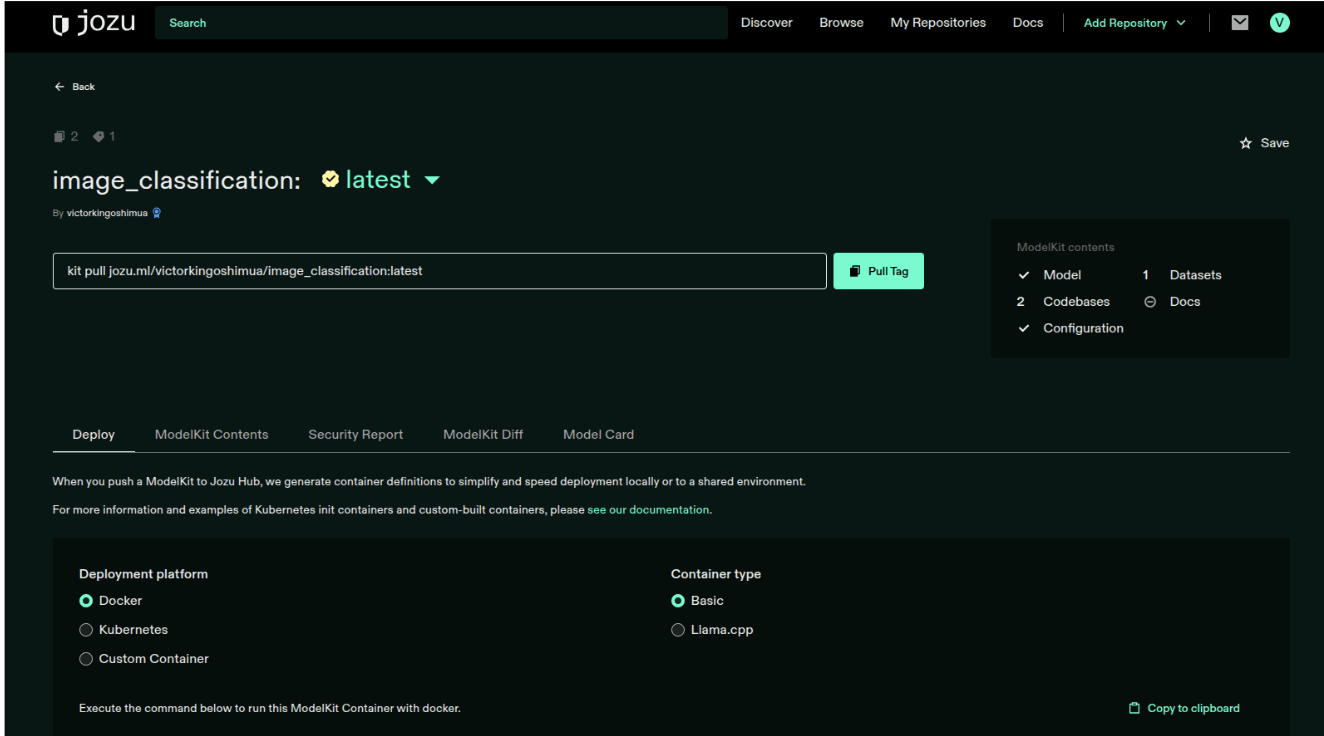
Your ModelKit is now available on Jozu Hub, where team members can pull it, improve the model, or update datasets by modifying the Kitfile and creating new versions.
Conclusion
Reproducibility and version control remain critical challenges in the MLOps lifecycle. Without proper tooling, these issues can slow AI/ML projects significantly. KitOps and Jozu provide a systematic approach to packaging, reproducing, deploying, and tracking AI/ML models.
For teams developing ML models, this workflow addresses the eventual need for deployment, storage, and change tracking, allowing focus on delivering efficient solutions.
Get Started Today
Ready to streamline your ML workflows? Create your free Jozu Hub account at jozu.ml and start packaging your models with KitOps. We'd love to see what you build - share your ModelKits and experiences with the community!
Explore more KitOps tutorials and examples in our documentation, or browse community ModelKits on Jozu Hub for inspiration on your next project.