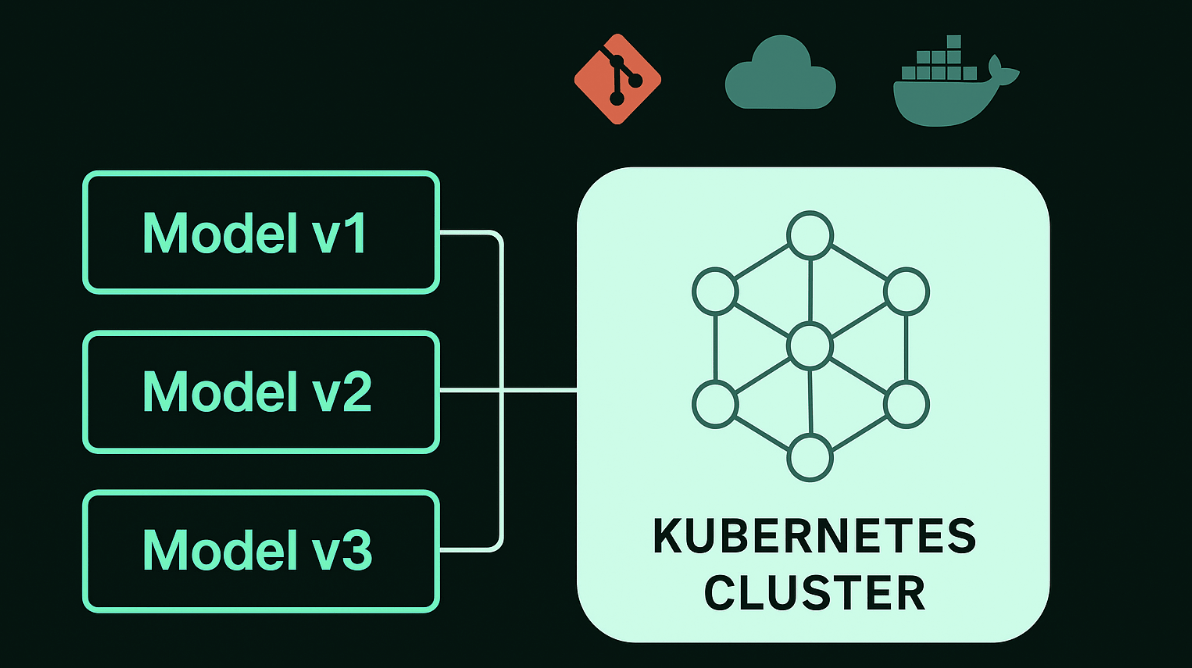


Managing and Deploying Multiple Model Versions with Jozu and KitOps: A Smarter Way to Scale ML Workflows
Model versioning and management have become top of mind for teams working on machine learning. This is not because it's hard to version a model, but because it's hard to keep track of versions as projects evolve and change.
Just like with application code, managing model versions is critical, and as teams iterate quickly, it's hard to track which version of the model did what, especially when architectures, weights, configs, and even data are shifting between experiments. Traditionally, each artifact has been stored in its own repository: code in git, data in data warehouses or tables, models in cloud storage like S3, and parameters in experiment tracking tools. But tying together the separate versions of each artifact and maintaining the changing state of each is nightmarish, with many falling back on manual spreadsheets to try to make sense of it.
In some cases, this might be fine, but organizations with sensitive data or security constraints need a robust system, one that would not only handle versions but also treat models like first-class software artifacts. That's why the open-source KitOps project was started, and why Jozu has expanded it with must-have features for enterprises who are developing or fine-tuning models with their own data.
In this tutorial, we'll take a look at how to manage multiple model versions using Jozu and Kitops with a practical deployment setup on Kubernetes.
By the end of this tutorial, you'll learn how to:
- Package different versions of a machine learning model using KitOps
- Use Jozu Hub to version, push, and pull ModelKits
- Build a reusable Docker image that runs any model version
- Deploy on Kubernetes using simple YAML configs
Prerequisites
To follow along with this tutorial, you need to have the following:
- A Jozu account (navigate to Jozu Hub to create a free account)
- Python 3.10+ installed
- Docker installed and running
kubectlinstalled and configured to talk to your Kubernetes cluster- A Kubernetes cluster running (you can use something simple like Kind if you don't have a full K8s cluster available)
Jozu's Model Versioning System
Jozu provides developers with a purpose-built model versioning system designed to suit ML workflows and lifecycles. Unlike general-purpose version control systems like Git, Jozu understands what a model needs to function and packages it accordingly.
It solves the common issues often encountered in ML workflows, such as mismatched model weights and code, unclear version history, lack of reproducibility, and painful deployment processes.
Jozu versions models by packaging everything needed, such as weights, code, datasets, configs, and optional assets, into a ModelKit.
Each ModelKit is tagged using semantic versioning and pushed to a remote registry. Since it's an OCI-compliant artifact, it can be stored in any standard container registry and pulled into environments that support the kit CLI. Think of it like a Docker image, but for machine learning.
You create and manage ModelKits using the kit CLI, which supports actions like:
kit pack: Package your model, code, and assets into a versioned archivekit push: Upload it to Jozu Hub (or any OCI registry)kit pull: Download a version into any environmentkit unpack: Extract only what you need into your runtime
This makes it easy to share models and reproduce AI/ML projects across teams or environments.
Using YOLOv5 to Demonstrate Versioning
To demonstrate model versioning in a real workflow, we'll use two YOLOv5 variants from Ultralytics, which are:
- YOLOv5s
- YOLOv5m
In your project's main folder, create two new folders for each version:
mkdir yolov5s
mkdir yolov5m
Next, download the pre-trained weights directly from the official repo into each of the newly created folders.
For yolov5s:
wget https://github.com/ultralytics/yolov5/releases/download/v6.0/yolov5s.pt -P yolov5s-v0.1.0For YOLOv5m:
wget https://github.com/ultralytics/yolov5/releases/download/v6.0/yolov5m.pt -P yolov5m-v0.2.0Next, add a sample image to each folder and name it sample.png. This image will be used for inference in your script and needs to be included in the ModelKit.
Writing the Inference Script
To run inference with this model, you'll need to create a script that will serve as an entry point for running the model. It will load the weights, perform inference on a sample image, and print or save the results. You'll include it in each versioned folder so it gets packaged with the ModelKit.
In the yolov5s directory, create a file called inference.py. Add the following to it:
import torch
from PIL import Image

# Load the model
model = torch.hub.load('ultralytics/yolov5', 'yolov5s', pretrained=True)

# Load an image
img = Image.open('sample.png')

# Perform inference
results = model(img)

# Print results
results.print()

# Save results
results.save()  # Saves annotated image to 'runs/detect/exp'
For yolov5m, also create a file called inference.py inside it. Add the following to it:
import torch
from PIL import Image

# Load the model
model = torch.hub.load('ultralytics/yolov5', 'yolov5m', pretrained=True)

# Load an image
img = Image.open('sample.png')  # Replaced 'iimg' with 'img'

# Perform inference
results = model(img)

# Print results
results.print()

# Save results
results.save()  # Saves annotated image to 'runs/detect/exp'
Creating a Kitfile
You need to create a ModelKit for your project. This is done by initializing its native configuration document, known as a Kitfile. To create a Kitfile, run the following command:
echo. > KitfileOpen the Kitfile and define all the files needed for the project so that the Kitfile understands what to track when you package your ModelKit image. This allows you to keep the structure and workflows of your local development environment.
For this tutorial, the kitfile for yolov5s will have the following:
manifestVersion: v1.0.0

package:
 name: yolov5
 version: 0.1.0
 authors:
   - <<Author Name>>
 description: YOLOv5 model version using YOLOv5s weights
 license: MIT

code:
 - path: ./inference.py

model:
 name: yolov5
 version: 0.1.0
 framework: PyTorch
 path: ./yolov5s.pt

datasets:
 - name: sample_image
   path: ./sample.png
Replace <<Author Name>> with your name or the name you want included as the author.
Ensure that a sample image named sample.png is included in the folder, as it is referenced in the Kitfile and will be included in the ModelKit.
Also, the Kitfile for yolov5m will have the following:
manifestVersion: v1.0.0

package:
 name: yolov5
 version: 0.2.0
 authors:
   - <<Author Name>>
 description: YOLOv5 model version using YOLOv5s weights
 license: MIT

code:
 - path: ./inference.py

model:
 name: yolov5
 version: 0.2.0
 framework: PyTorch
 path: ./yolov5m.pt

datasets:
 - name: sample_image
   path: ./sample.png
Also, make sure to add a sample.png image in this folder as well.
Package Each Version as a ModelKit with KitOps
We'll use the pack command kit pack to create the ModelKit to achieve this. Ensure that the ModelKit in your local registry matches the naming structure of your remote registry.
For yolov5s, open your terminal and cd into yolov5s folder. Run the following command:
kit pack . -t jozu.ml/your-user/yolov5:0.1.0Replace your-user with your Jozu username.
After running this command, you should see a confirmation message.

Do the same thing for yolov5m, open up another terminal and cd yolov5m-v0.2.0 folder. Run the following command:
kit pack . -t jozu.ml/your-user/yolov5:0.2.0Afterwards, use the push command to copy the newly built ModelKit from your local repository to Jozu hub remote repository
For yolov5s, run this command:
kit push jozu.ml/your-user/yolov5:0.1.0For yolov5m, run this command:
kit push jozu.ml/your-user/yolov5:0.2.0Once you've run the command in their respective folders, a message response will display "[INFO] pushed" with the newly built ModelKit Digest, notifying that it has been successfully pushed.

Once the two kit push commands complete, log into the Jozu Hub at jozu.ml.
Click the "My Repositories" button on the Jozu Hub menu bar.
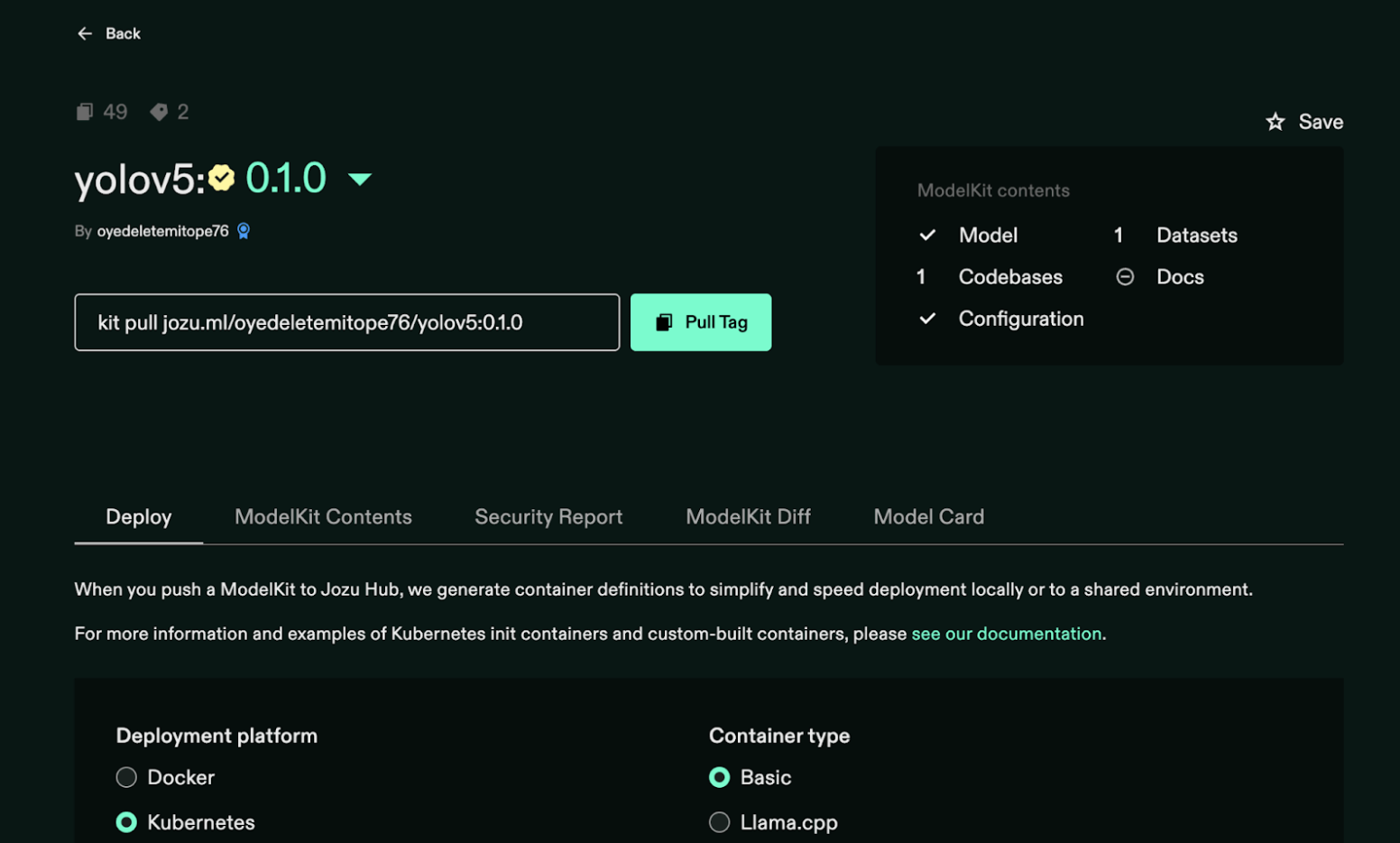
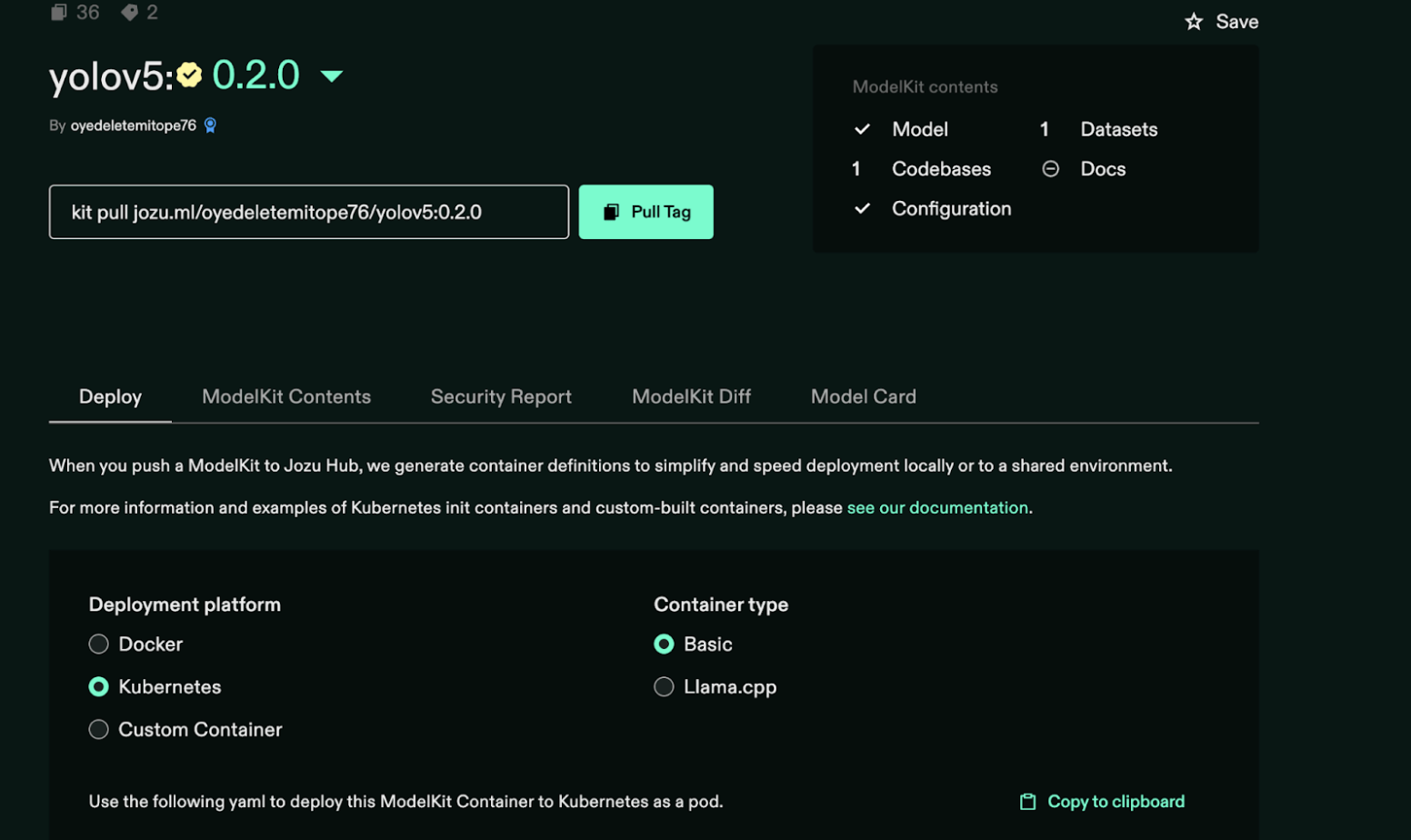
You should see a new yolo5 repository. In that repository, click on the version number, and the modal window should show both 0.1.0 and 0.2.0 ModelKit versions (tags).
You should see version details like the tag name, digest, size, and timestamps for each ModelKit.
💡 Note: You can also tag it after pushing a version with an alias like
latestusing thekit tagcommand. This makes deployments easier, as consumers wouldn't need to specify the exact version each time.
You'll see two separate versions of the same model package, and you can deploy either one on Kubernetes.
Deploying on Kubernetes
To run your model inside Kubernetes, we first build a lightweight, general-purpose Docker container using python:3.10-slim as the base image. This container comes preloaded with all required system and Python libraries.
Create a Dockerfile with the following:
# Use the official Python 3.10 slim image as the base
FROM python:3.10-slim

# Set environment variables to prevent Python from writing .pyc files and buffering stdout/stderr
ENV PYTHONDONTWRITEBYTECODE=1
ENV PYTHONUNBUFFERED=1

# Install system dependencies
RUN apt-get update && apt-get install -y --no-install-recommends \
   curl \
   git \
   gcc \
   libgl1 \
   libglib2.0-0 \
   && rm -rf /var/lib/apt/lists/*

# Install Python dependencies
RUN pip install --no-cache-dir \
   torch \
   torchvision \
   pandas \
   matplotlib \
   seaborn \
   opencv-python \
   pillow \
   pyyaml \
   requests \
   tqdm \
   scipy \
   thop

# Copy the 'kit' binary into the container
COPY kit /usr/local/bin/kit
RUN chmod +x /usr/local/bin/kit

# Set the working directory
WORKDIR /model

# Copy a test image, or you can volume mount later
COPY sample.png /model/sample.png

# Default CMD — overridden by Kubernetes YAML
CMD ["sh", "-c", "echo 'Waiting for model kit command from Kubernetes YAML...' && sleep infinity"]
Replace your-username with your jozu username in the following command.
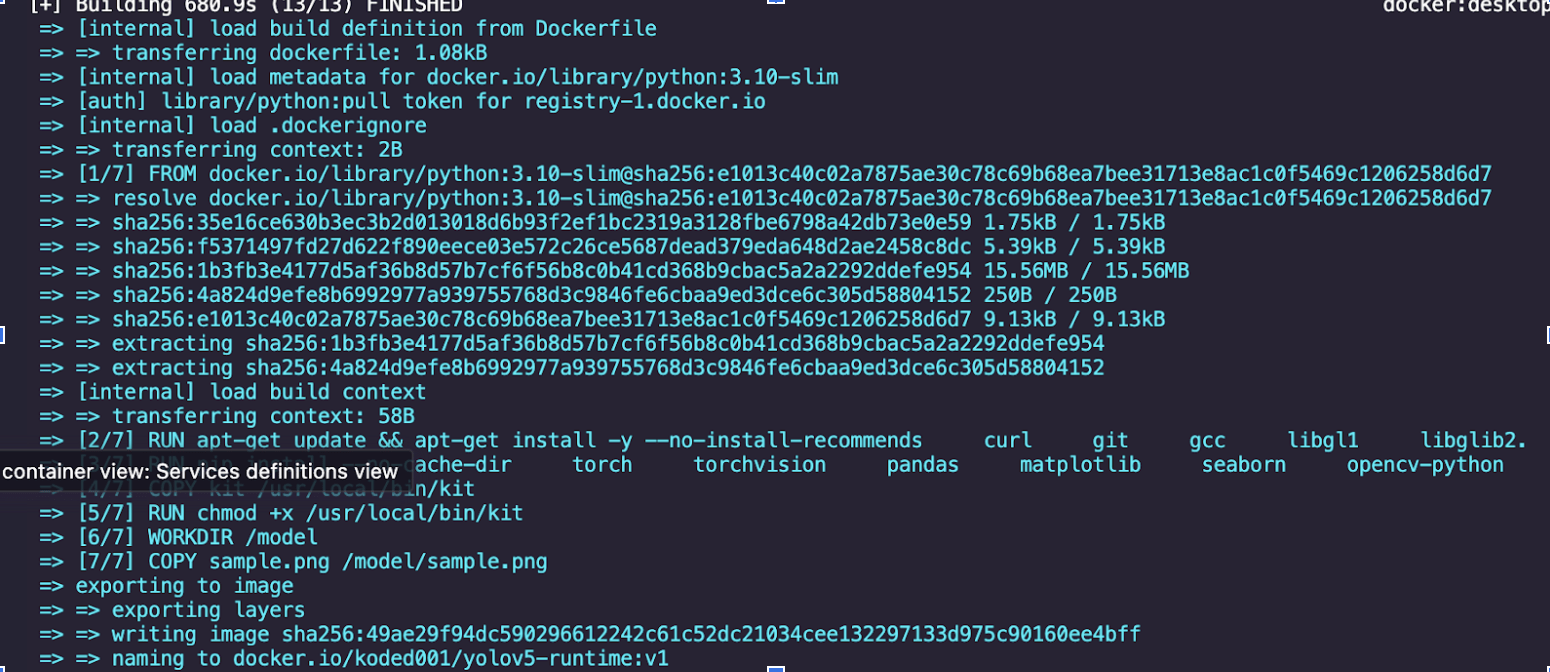
docker build -t your-dockerhub-username/yolov5-runtime:0.1.0 .You should have an output like this:
Afterwards, push the Docker image by running this command:
docker push your-dockerhub-username/yolov5-runtime:0.1.0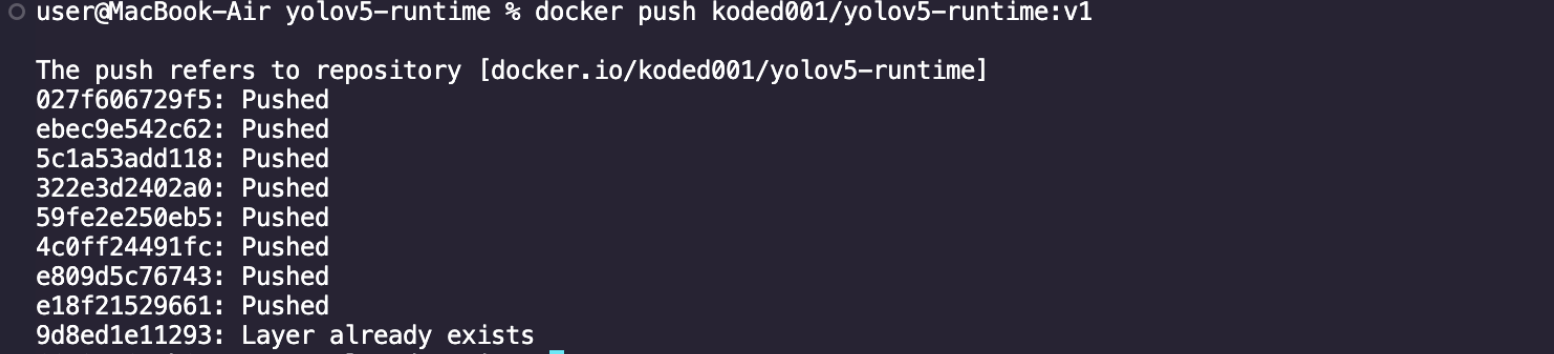
Replace your-dockerhub-username with your actual Docker Hub username.
Next, create two YAML files, yolov5-runtime-v1.yaml for version 1 and yolov5-runtime-v2.yaml for version 2.
For version 1, create a file called yolov5-runtime-v1.yaml. It should have the following:
apiVersion: v1
kind: Pod
metadata:
 name: yolov5-runtime-v1
spec:
 restartPolicy: Never
 volumes:
   - name: model-volume
     emptyDir: {}

 initContainers:
   - name: kitops-init
     image: ghcr.io/kitops-ml/kitops-init:latest
     env:
       - name: MODELKIT_REF
         value: jozu.ml/oyedeletemitope76/yolov5:0.1.0
       - name: UNPACK_PATH
         value: /model
       - name: UNPACK_FILTER
         value: model,code,datasets

     volumeMounts:
       - name: model-volume
         mountPath: /model

 containers:
   - name: yolov5
     image: koded001/yolov5-runtime:latest
     imagePullPolicy: Always
     volumeMounts:
       - name: model-volume
         mountPath: /model
     command: ["python3", "/model/inference.py"]
For version 2, create a YAML file called yolov5-runtime-v2.yaml. It should contain the following:
apiVersion: v1
kind: Pod
metadata:
  name: yolov5-runtime-v2
spec:
  restartPolicy: Never
  volumes:
    - name: model-volume
      emptyDir: {}

  initContainers:
    - name: kitops-init
      image: ghcr.io/kitops-ml/kitops-init:latest
      env:
        - name: MODELKIT_REF
          value: jozu.ml/oyedeletemitope76/yolov5:0.2.0
        - name: UNPACK_PATH
          value: /model
        - name: UNPACK_FILTER
          value: model,code,datasets
      volumeMounts:
        - name: model-volume
          mountPath: /model

  containers:
    - name: yolov5
      image: koded001/yolov5-runtime:latest
      imagePullPolicy: Always
      volumeMounts:
        - name: model-volume
          mountPath: /model
      command: ["python3", "/model/inference.py"]
With everything ready, you can now deploy both versions to your Kubernetes cluster by running:
kubectl apply -f yolov5-runtime-v1.yaml -f yolov5-runtime-v2.yamlYou've just deployed to Kubernetes!
Monitoring the Pods
You can check the pod status with this command:
kubectl get podsThis will show you whether the pods are Running, Completed, or Error.

To check the output of each model version after deployment, run the following in a separate terminal:
kubectl logs yolov5-runtime-v1
kubectl logs yolov5-runtime-v2
This will show you the inference results or any errors printed by your script.
Wrapping Up
Using Jozu and KitOps, we packaged two YOLOv5 variants (yolov5s and yolov5m) as versioned ModelKits, each with its own code and weights. This allows you to treat models like actual artifacts, keeping them clean, self-contained, and easy to push, pull, or deploy.
It also brings structure to the versioning problem and makes your ML deployment stack modular, testable, and scalable without over-engineering the workflow.
To learn more about Jozu's model versioning system, check out the official documentation and the KitOps docs.